

Roblox Kids and Roblox Select Explained: A Parent’s Guide to Roblox’s Age-Based Accounts
In June 2026, Roblox made one of its biggest safety changes yet: age-based accounts, called Roblox Kids and Roblox Select, became available worldwide. If you are a parent, or a player wondering why your account changed, this guide explains how they work, based on Roblox’s official announcement.
Which account does each age get?
- Roblox Kids (ages 5–8): the strictest default settings. Chat is off, but parents can turn it on.
- Roblox Select (ages 9–15): slightly more mature content, with chat that unlocks gradually and protections still in place.
- Standard Roblox (16+): requires an ID check or facial age estimation.
Users who have not completed an age check cannot chat at all, whatever their age. Settings may vary by region.
What changes in Kids and Select accounts
- Reviewed games only: Kids and Select accounts only see games that pass additional review. Games with social hangout features, free-form drawing or sensitive issues are excluded.
- Safer chat: where chat is enabled, users can only talk with people in similar age groups or with Trusted Friends, with text filters and chat rephrasing applied.
- Social media links are hidden unless the user is 16 or older and age-checked (profiles, game pages and Community pages).
- Roblox Moments, the clip-sharing feature, was not available to Kids or Select accounts at launch.
What parents can control
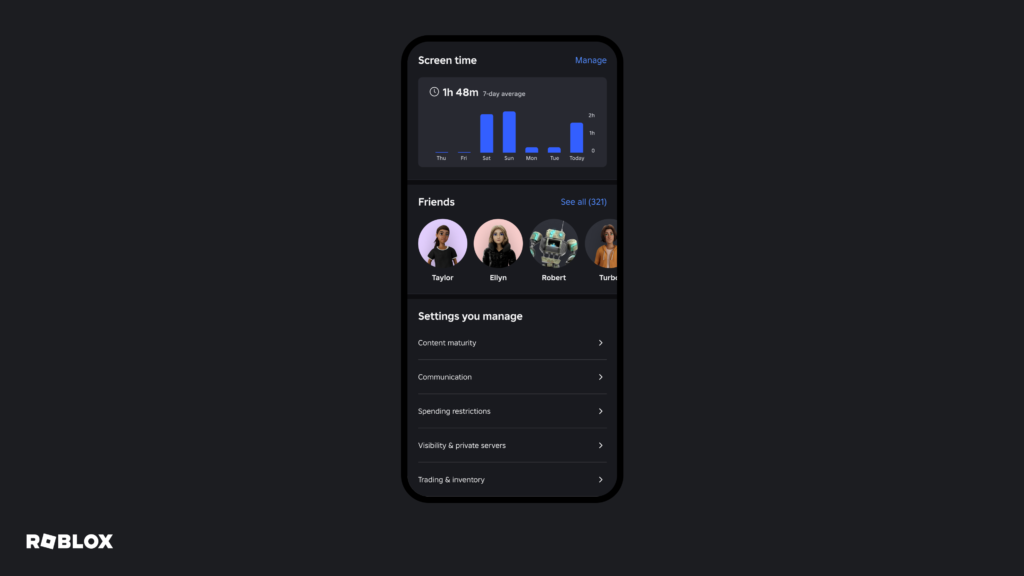
Parents link their own Roblox account to their child’s account. From there:
- Ages 5–8: you can allow in-game text chat, limited to similar-age users or Trusted Friends.
- Until age 13: you can view the friend list, block or report users, approve or decline Trusted Friend requests, and set screen-time and spending limits.
- Until age 16: you can change chat settings and allow or block specific games.
- Ages 16–18: less direct control, but you keep visibility into spending notifications, screen time and friend lists.
Quick setup checklist for parents
- Create your own Roblox account (if you do not have one).
- Link it to your child’s account through Roblox’s parental controls.
- Review chat, spending limits and screen time.
- Talk with your child about not sharing personal information and never giving out passwords.
- Remind them that “free Robux” offers are always scams.
Related on Annedehaas Games
FAQ
Why can’t my child chat on Roblox?
Chat requires a completed age check, and it is off by default for Roblox Kids accounts. A linked parent can change this.
Can a 13-year-old see social media links?
No. Social media links are only visible to age-checked users aged 16 and older.
Sources: Roblox Newsroom – Age-based Roblox Kids and Select accounts now globally available
Annedehaas Games is not affiliated with the game publishers mentioned. Features and events may change; check the official game channels for the latest information.