

GTA 6 Beginner’s Guide: Tips Before You Start
GTA 6 looks familiar at first, but a lot of old habits from GTA 5 will cost you here. Cash you carry can be lost, enemy guns do not stay with you, and the police now remember your face, your clothes and your car. These beginner tips cover what to know in your first hours in Leonida, with no story spoilers.
Last checked: November 27, 2026. Button names are for PS5, with the Xbox version in brackets where it differs.
Key facts
- Save by hand: autosave only runs after missions, and missions cannot be replayed
- Protect your cash: money in your pocket is lost when you die or get busted
- Keep your guns: only guns bought at Ammu-Nation come back after a death
- Focus mode: press L3 + R3 (both sticks) to highlight loot, cash and enemies
- Lose the cops: change clothes, change or respray the car, and holster your gun
Change these settings first
A few settings make a big difference before you even start the story:
| Setting | Where | Suggested value |
|---|---|---|
| Motion Blur Strength | Display | 0 (the default is 3) |
| Look and Aim Sensitivity | Controller | 9 or 10 (the default is 7) |
| Movement Speed | Gameplay | Run |
| Accessible Combat, Reduced Vehicle Damage, Simplified Mini Games | Gameplay > Accessibility | Optional, if you want an easier start |
Playing on a phone through Remote Play? Lower motion blur is even more important there. See our guide to playing GTA 6 on your phone.
Save the right way
GTA 6 only autosaves after a mission, and there is no mission replay. If you make a bad choice or lose something important, the only way back is an older save.
- Finish the prologue in one go. Saving is locked until it ends, so make your first manual save as soon as the option appears.
- Go to Pause > Game > Save Game. There are 15 manual slots.
- Use a new slot for each chapter, and always save before a big mission.
Protect your money
This is the tip most new players learn the hard way. Cash in your pocket is lost when you die or get busted.
- Use the stash in Jason’s bedroom. There is a hiding spot under the loose floorboards next to the bed. Drop your cash there early on.
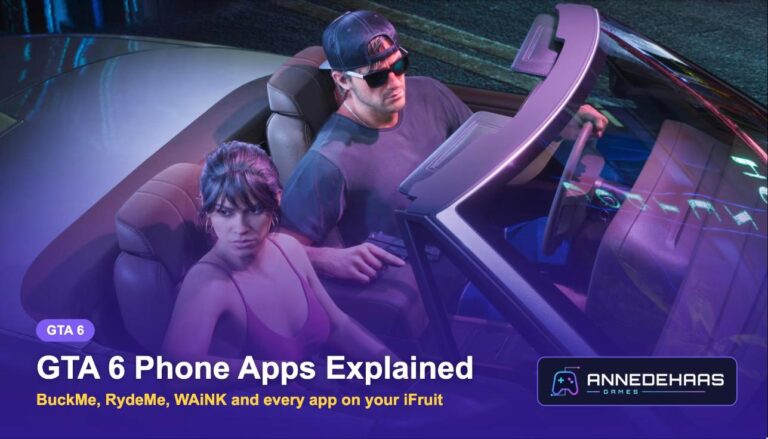
- Move to BuckMe as soon as you can. The banking app unlocks with the Chapter 1 mission Buck Me. Money in the bank is safe.
- Check the mailbox outside Jason’s house. Mission pay and money from contacts often arrives there, so look every time you leave home.
- Remember the $999 limit. Shops only take pocket cash for buys up to $999. Bigger purchases come out of BuckMe.
Want to grow that balance? Our GTA 6 money guide has the best early ways to earn, and our phone apps guide explains BuckMe in detail.
Keep your guns and gear
- Enemy guns are not yours. Weapons you pick up from enemies are lost if you die.
- Store them in your car. Put found guns, bags and shopping in the trunk of your personal vehicle to keep them.
- Buy what you want to keep. Guns bought at Ammu-Nation are owned, so they come back after a death.
- You can carry two sidearms and two long guns. Plan your loadout before a mission.
- Holster in public. Press L1 (LB) to put your gun away. People who see a drawn weapon may call the police.
Police and your Criminal Profile
The police in GTA 6 work from what they saw. Wanted icons show if they know your outfit, your face or your car. To lose them:
- Get out of the search area first.
- Change your clothes. You can keep spare outfits in the car trunk.
- Change or respray your car.
- Holster your gun and blend in.
Every character also has a Criminal Profile with five tiers, from Professional down to Irredeemable. Killing civilians, police or animals pushes it down. Reaching Irredeemable is permanent for that character unless you load an older save, so save before you go on a rampage.
Robbing stores? Cut the alarm in the back room, destroy the security footage and knock out the clerk instead of shooting. It keeps your profile clean.
Use Focus mode
Press L3 + R3 (both sticks on Xbox too) to use Focus. Outside combat it highlights useful things around you: enemies in red, items you can use in yellow and cash in green. In a gunfight it briefly slows time to help you aim. Use it every time you enter a new building or loot a wreck.
Train your stats every day
- Strength and Cardio have daily limits, so train a little each day at Jason’s house instead of all at once.
- Protein from the kitchen gives a small boost and shortens the wait before the next workout.
- Focus has no daily cap. Fishing and basketball are the fastest ways to raise it, and both count toward 100% completion.
- Each character trains separately, so Jason’s gains do not help Lucia.
Cars, repairs and getting around
- Call Joey for repairs. After the mission Just a Scratch, call Joey at Coastal Auto Care. He brings your repaired car to you for free.
- Pick the car color with care. The free respray from Joey is a one-time thing.
- Scan before you steal. The WAiNK app shows if a car has a tracker and what it is worth.
- Take a taxi for long trips. Call Paradise Taxi from your contacts. Cabs may not reach small islands, so get to the mainland or a bridge first.
- Switch characters after the mission Breakfast Run: hold right on the D-pad and press R1 (RB).
Before you leave Chapter 1
- Spend your pocket cash and stash money
- Finish the free house repairs with Jason
- Use any Chapter 1 only items (Ultimate Edition)
- Make a save in a slot you will not overwrite
- Grinding lots of cash you cannot carry over
- Spending big on cars too early
- Ignoring errands with an hourglass icon, they can expire
Some Chapter 1 money and activities do not carry over once the story moves on, so wrap them up before the last Chapter 1 mission.
FAQ
Do you lose money when you die in GTA 6?
Yes, you lose the cash you are carrying. Money in BuckMe, and early on in the stash under Jason’s floor, is safe.
How do you save in GTA 6?
Pause, then go to Game and Save Game. There are 15 manual slots. Autosave only runs after missions.
How do you use Focus mode?
Press L3 and R3 together. It highlights enemies, useful items and cash, and slows time when you aim in a fight.
Can I play GTA 6 on my phone?
Only by streaming from your PS5 or Xbox Series X|S with Remote Play. Our step-by-step guide shows how.